
The Explain-It-Once Method
3 simple AI fixes to cut busywork and get paid more.
Missed us live? You're in luck, because this is the whole training, written out so you can work through it whenever you've got a pocket of time. Every prompt is ready to copy, and every example comes from real work. Open whatever AI tool work gave you in another tab, and go one chapter at a time.
 Joanna Ericta, Co-founder of The Assist
Set AI up like a great new hire.
When we asked how much of what AI gives you is actually usable, 61% of you said about half. You use it, and then you rework the rest yourself. And when we asked what you do when AI gets it wrong, 76% of you said "I tell it what to fix." That's the right instinct. This training makes it a lot sharper.
Usually the problem is that we hand AI work the way we'd hand it to a stranger, with none of the background. And you already know how to fix that, because you've been doing it with people your whole career. Think about the last time someone new joined your team. Their first few drafts, you read before they went anywhere and told them what you'd change. Once they were handling something every week, you showed them the old versions and where everything lives. And once they got the hang of it, you started asking them, "What do you think we should do?"
That's our three fixes, in that order.
For first drafts. Get them back closer to done, and catch what AI got wrong before anyone else does.
For the work you rebuild every week. Set it up once in about 20 minutes, and after that it's one ask.
For the thinking part of your job. You think first, then AI pokes holes in it. Plus how to keep a running list of your wins, so you walk into your review with receipts.
Everything here runs in the tool you already have, on the free version. If you can write an email and keep a folder, you have every skill this takes. And the setup I'll show you took me about 20 minutes. I'll show everything in free ChatGPT, and point out where it lives in Copilot, Gemini and Claude. If you can't use AI at work at all, all of it works in a personal account too.

“I feel more confident than ever exploring and applying AI in my work. I'm especially enjoying the feeling of being ahead of most of my colleagues.”

“I've learned how to use AI more effectively in my day-to-day work, which has significantly improved my efficiency and helped me better demonstrate my value to my organization.”
The mistake I almost sent
Earlier this month we had our Q4 goals review call. I pasted my meeting notes into a blank ChatGPT chat and asked for a one-page summary of our Q4 goals, who owns each one, and the deadlines. It looked great. Clean, organized, owners listed under every goal.
But before I sent it out, I asked one question: tell me the one thing you're least sure about. It said the owners on the partner revenue goal. On the call, we gave that goal to Julia and Kailey, but the summary also listed Rich. Nobody said that. It guessed from the wording, then wrote it down like it was decided.
That's the kind of mistake AI makes, a reasonable-sounding guess you don't notice. It's small enough that I didn't catch it, and the doc looked so polished nobody else would have either.
Before you use anything with numbers or facts in it:
You use AI most days but still redo a lot of what it gives you. You have work that comes back every week or every month. You want to be the person your team asks about AI. You have a review coming up and want receipts for what you got done.
You're looking for a new tools list, or for agents and automations. That's the next level, and we cover it another time.
The two worries we hear most
When we asked about your biggest worries with AI at work, privacy and losing your ability to think for yourself came up the most. On privacy, everything you'll see here comes from a real project of mine, with anything private kept out of it, and I'll show you what stays out of the folder too. If your company has an enterprise license, ask IT what's covered, because that one email answers most of it. On thinking for yourself, the last fix has one rule I want you to hold me to: you do the thinking first, then AI pokes holes in it.
Keep one question in your back pocket the whole way through: "If this were a new hire, what would I set up for them?"
The Redline
This one's for when AI hands you something that's only half usable, which, based on your poll answers, is a lot of the time. We're gonna get it back closer to done, and then check it the way a good manager would before it goes to anyone else.
Growing up, my mom and I read Amelia Bedelia books together. She's a housekeeper who takes every instruction literally. Tell her to draw the drapes, and she sits down and sketches them. AI is basically a brand-new Amelia Bedelia on your team. Anything you leave out, it fills in with the most average answer, or it just guesses, like it did with Rich.
The project I'll follow the rest of the way is building this webinar. AI helped me brainstorm and get a first draft down fast. The examples, the stories and the final call are mine.
Start with BRIEF
If you were with us in September, you've seen BRIEF, our prompt framework. If you're new, it's five parts for handing AI the context it needs.
What's going on, the history, the constraint only you know about, and anything that sets the rules, like your brand guidelines.
Who it should be. You, your boss, a skeptical CFO.
The actual ask, and be specific. Draft the email, rank this list, analyze the data.
What good looks like, like the recap people actually replied to.
How long, bullets or prose, where the headline goes.
Then you tune it from there. You'll always write the Instruction, but if you only remember two of these, make it Background and Example, because those do most of the work.
Here's the brief I gave ChatGPT for the first 10 minutes of the webinar script:
What came back was a solid start. But look at what I circled: "The weekly update. The recurring report. The same analysis you run every Monday." That's not how I talk. Even with a great brief, it's still filling in blanks. So here's how I redline it: two moves before it writes anything, and one after.
Move 1 · Questions first
Right after your brief, add this line.
My version: Before you write anything, ask me the questions you'd need answered to write a webinar intro that sounds like me and fits this audience. One at a time, stop at five.
Look at what it asked. What do I want you to feel about me in the first few minutes? What's my real relationship with AI? Is there a story it should build around? Every one of those is about me, and those are exactly the parts the first draft got wrong. I didn't have to figure out what context I forgot. I just answered its questions.
Move 2 · Outline before the draft
You'd look at someone's outline before you let them build the whole deck, right? Same thing here.
It decided my credibility should come from still figuring this out, and it wanted "am I even using AI well enough?" as the thread of the whole intro. That's not where I am. If I'd let it write the full draft, that guess would've been baked into every section. Here, it's two lines in a list, and I just tell it no.
Numbers, dates, quotes and sources always get checked. If it's doing math, ask it to show the math.
Move 3 · Have it grade itself
After it writes, and before you fix anything yourself:
My version: Check this against how I write: no choppy one-line fragments, no 'it's not X, it's Y' lines, and nothing I wouldn't say out loud. Tell me where it falls short before you fix anything.
Your rules might be "my boss can read it in two minutes" and "every number has a source."
It came back with a list: too many choppy one-liners, our 61% stat doing way too much work, and lines that sounded like marketing copy. Then it summed it up as too much webinar voice and not enough Joanna voice. Which, facts. I didn't have to read the draft line by line. It handed me the list, and I decided what to fix.
It asked for what it couldn't guess.
It showed me two wrong guesses while they were still one line in a list.
It flagged its own choppy lines before I read the whole thing.
Open a chat from this week where AI wrote something you used, or you're about to. Paste in the line from Start Here: "Before I use this, tell me the one thing in here you're least sure about." See what it flags. It takes about 60 seconds.
Three quick ones for when you're ready for more
Get a cold read
In the same chat, AI goes easy on its own work because it remembers why it made every choice. Copy the draft into a brand-new chat and paste this. The new chat reads it cold, the way your boss will.
If it missed, fix the ask
If the first answer is way too long, too formal, or missing something you forgot to tell it, don't type "no, shorter" five times in a row. Go back up and edit your original message instead (most tools have a little pencil icon on it). When you pile corrections on top, it keeps working off that first bad draft. Chain prompting is for when the answer is right: build on it one step at a time, like the outline, then the draft, then the Slack version for your team. If it missed, fix the ask. If it's right, build on it.
Your example should be yours
I asked for a LinkedIn post about this webinar, and the first try was fine but could've been anyone's. So I pasted in my best-performing post from this year, one I wrote myself, and it opened with something you'd recognize and even picked up my emojis and hashtags. Whatever you hand it, it copies, so your example should always be something you wrote or edited, never something AI wrote for you.
First try
With my best post as the example
- The email pushing back on a deadline: questions first.
- An HR policy summary: outline and assumptions first.
- Your exec's itinerary: check it against their rules.
- A weekend trip itinerary: see what it's assuming.
- A weekly meal plan: questions first.
- A venue or lease contract: check it against your must-haves.

“This has really taught me the power of refining prompts, tweaking point of view, specificity, tone, and background, so you can get exactly what you need in much less time.”
The Draft Review Prompts
Every move from this fix, already filled in for ten docs you write all the time. If you started your free trial when you registered, or you're already in Smart Girl Society, go to Tools & Templates in the left menu and it's right there. If you haven't joined yet, keep going, I'll cover that at the end.
Before any of that, I had to paste in my brief, my last two scripts and my voice rules. Next time I build a webinar, I'll be pasting all of it in again. You've probably got your own version of this, like the weekly status update. So let's fix that part.
The Handoff
This one's for the stuff you rebuild from scratch over and over, like the status update, the monthly report, or for me, every webinar we build. You set it up once, the way you'd hand a recurring job to someone new, so after that it takes one ask.
Chat, folder or share
Will I do this again? If no, just chat.
Does it need the same background and examples every time? Give it a folder.
Will someone else need it too? Share it.
Write down two or three things you do every week, month or quarter, like the status update, the monthly report or the client check-in. Mark each one chat, folder or share. Mine: building this webinar is a folder, a one-off reply to a reader is a chat, and our webinar checklist is a share, because Cameron uses it too.
Your number
Pick the one you marked folder. When I say from scratch, I mean the whole thing: digging up last month's version and your notes, pasting in the background and explaining it like it's day one, the back-and-forth when it misses, and fixing what comes back before you can send it. Add all of that up, and be honest with yourself. Then multiply it by how many times a year you do it.
That's about -- work weeks a year.
A weekly status update that takes 45 minutes start to finish, 50 weeks a year, is about 37 hours a year. That's almost a full work week spent rebuilding something you've already built.
Hang on to that number. It comes back at the end.
My folder
A regular folder in my drive, about 20 minutes to set up.
How my team builds a webinar.
The date, who it's for and what we're teaching.
Last month's final script plus my voice rules.
A running list of what we've decided, newest at the top, so nobody, including AI, works off the old plan.
Naming tip
The main docs are numbered 00 to 03 so they stay in the same order at the top of the folder. Anything dated starts with year, month and day (2026-10-16 Decisions), so it sorts newest to oldest. And every name says what's inside, so "02 What Good Looks Like" beats "scriptFINALv3." If a teammate can follow it, AI can too.
Let AI write doc 00
The How We Do This doc took me about 20 minutes because I didn't type it. I hit the mic and talked it through.
That last line is where it earns its keep. It came back with twelve things a new person would still need to know, and one stopped me: who makes the final call when Andy, Cameron and I disagree. I'd never written that down anywhere.
Keep the decision log honest
Doc 03 is the one that keeps changing. After our September webinar, I pasted our debrief notes into a regular chat with this prompt. It works after any meeting, so steal it.
The recap, with the maybe flagged
Only the real decisions went in the log
Look at the line it flagged: "Joanna: Investigate the calendar link issue. Deadline not specified." That's a maybe, so it stays out of the log.
Where it lives in your tool
Your OneDrive, attached to a new chat (or a Notebook, with Microsoft 365 Copilot)
The latest log and this week's notes
A Project (instructions and files)
The latest log and this week's notes
A Notebook (instructions and files)
The latest log and this week's notes
A Project (instructions and files)
The latest log and this week's notes
A regular doc on your computer or drive
Paste the brief at the top of a new chat, plus what's changed
What doesn't change. How we do this, the project brief, what good looks like. On Copilot, or if you can't upload, attach these same files at the start of each new chat.
What's still changing. The decision log, this week's notes, the latest numbers.
The two lines below.
Your files won't always agree, and you want it going with the newest one, instead of whichever it read first.
If it changes, don't upload it. An uploaded file is a snapshot, so AI keeps reading the old version and won't tell you it's out of date. That's why the decision log gets attached fresh.
The payoff
I made a Project in ChatGPT, uploaded the three files that don't change, and pasted those two lines into its instructions. Under five minutes.
The three files that don't change
The two lines
Then I opened a new chat in the project and typed one line: "Write the reminder email that goes out the morning of." Inside the project, it used the real title and the three fixes straight from my brief. The same ask in a regular chat asked me for the title, the time and what I'm promising, which is all the stuff I'd be pasting in every single time.
In the project
Regular chat
Been doing it all in one long chat? Ask that chat: "Based on everything in this chat, write the instructions for a project so I don't have to explain this again."
Even if you don't set up a project today, do this one. 62% of you said you'd never opened your AI's general instructions, or set them up once and forgot. Paste this line in.
- ChatGPT:
- Settings › Personalization › Custom instructions
- Claude:
- Settings › Account › Instructions for Claude
- Copilot:
- Settings and more › Chat settings › Personalization › Custom instructions
Share it
That folder is just documents. A teammate can read it like a handoff doc, or attach the same files to her own chat. And if you don't manage anyone, share it with whoever covers for you when you're out.
- The monthly vendor report: folder.
- The quarterly board packet: folder.
- Onboarding a new hire: share it on day one.
- A plant-watering schedule for whoever's home.
- A babysitter or house-sitter folder: share it.
- A weekly reset doc with your partner: share it.
The Folder Starter Kit
The templates, the setup interview you just saw, and a one-page cheat sheet for what goes where. If you started your free trial or you're already in Smart Girl Society, it's in Tools & Templates. If not, I'll come back to it at the end.
Now AI knows how the work gets done. Which means we can use it for the part of the job that's harder than paperwork, the thinking.
The Pressure Test
This one's for the thinking part of your job, like the meeting where the hard question comes out of nowhere. You know the one, where the perfect answer shows up an hour later in the car. You do your thinking first, then AI pokes holes in it, so you walk in ready.
From our survey of nearly 800 readers.
So here's the rule for this one. You do the thinking first. Then it pokes holes.
Let it read the data cold
I wrote down my hunch about what you'd want from this training, and I didn't tell AI. Then I opened a fresh chat, outside my webinar project, pasted in our recent poll results and a summary of what readers write in about (no names), and asked:
It caught its own math
Help me get my brain back
91% of you use AI regularly, but only 6% have anything running without you. It called that "roughly 4x," then showed its work and caught itself: it's about 15 to 1. That's why the prompt says show the math. Then it summed up what you're asking for as "Help me get my brain back." And the top thing you said would help most surprised me: keeping track of what you actually got done. So that's where this fix ends up.
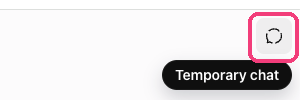
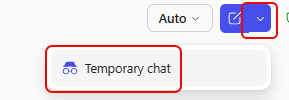
If I'd led with my hunch, it probably would've agreed with me, because AI tends to tell you what you want to hear. Let it read the data cold, then compare. And if your AI has memory on, use a no-memory chat, usually at the top right. In ChatGPT, Gemini and Copilot it's a temporary chat. In Claude it's incognito.


The three chairs
Before a big conversation, have AI play the people who'll weigh in on your plan. Pick up to three people, and AI reads your plan as each of them, one chair at a time, so you hear their questions before you're in the room. They don't all have to be in the meeting. If it touches finance or another team, they get a chair too.
"Read this as my boss."
What comes back: "They may have concerns about the timeline."
"Read this as my boss, who cares most about our Q4 numbers and hates surprises."
What comes back: the actual question she'll ask you.
That one line about what each person cares about is the Background in BRIEF doing its job again.
Here are mine. Before I took the outline to my team, I had AI read it as Andy, my co-founder, who asks how it fits the bigger plan. Cameron, who has to build everything behind it. And a reader who only has Copilot and no budget. The one I wasn't ready for was the reader: "Can I actually do this in the Copilot my company gives me, without paying for anything?" It was right. Fix #2 assumed everyone can make a project and upload files, and some of you can't. So I fixed it before the webinar. I'd much rather hear that from AI in a chat window than live in the Q&A.
What I asked, outline attached
The one I wasn't ready for
Think about a conversation coming up that you're a little nervous about. Who weighs in on it, up to three, and what does each of them care about?
Your manager (what she's measured on). Whoever approves the budget (cost vs. what it's worth). HR (how it fits the pay bands).
The person deciding (whether it moves her goals). The team that builds it (their time). The team it touches (what changes for them).
I'm about to [describe the conversation or decision]. Read my plan below as each of these people, one at a time. For each one, tell me their first question and what they'd push back on.
Your wins, written down
Quick gut check: if your review were tomorrow, could you tell your manager what you got done since summer?
said "keep track of what I actually got done" when we asked what AI could change about their week. It was the #1 answer.
32% dig through email and calendar to remember what they did.
Start this week, and you'll have six-plus weeks of wins by the time your review lands.
Your Weekly Wins doc (think of it as your brag book)
A plain doc, just for you. Each Friday's wins go at the top, so your latest week is always first.
What you finished that week, what changed because of it, and any numbers.
At review time, the proof is already written. It keeps changing, so attach it fresh when you need it.
Every Friday, take five minutes while the week is still fresh. Put a 15-minute Friday block on your calendar right now.
My version: Here's what I remember from this week: finished the Q4 budget draft, ran the vendor kickoff, trained the new hire on our intake form.
The last line matters, because a made-up number is the fastest way to lose credibility in a review.
At review time
Attach your Weekly Wins doc and paste the prompt below.
Run three chairs on it: your manager, whoever approves the budget, and HR.
Don't save it all for review day
If the first time your manager hears about your wins is in the review, you're asking them to remember six months in one meeting. Every couple of weeks, take your top three wins and turn them into a quick update for a Teams message or your next 1:1. "Lead with what changed because of it" is the line doing the work.
- The renewal call: three chairs.
- A project that's slipping: read the data cold.
- Announcing a change to your team: three chairs.
- A big move or purchase: your partner, a friend who's done it, a financial planner.
- Open enrollment: read the plan options cold.
- A doctor's visit: ask what you'd regret not asking.
The Strategic Thinking GPT
It walks you through your thinking one question at a time, then pokes holes in it. If you started your free trial or you're already in Smart Girl Society, it's in Tools & Templates.
Here's where you are now.
Review AI's first draft like a manager, so you stop rewriting it yourself.
Hand AI a folder once, so next week takes one line.
Get a real second opinion from AI, and build the record that makes your case for you.
And everything you set up for AI also lets you hand that work to a person.
Which one would make the biggest difference for you right now?
So now you've got a choice. You can take what you learned here and figure out the rest on your own, with more content, more saved prompts, and seeing what sticks.
Or you can keep going with us.
You've seen the three fixes run on real work. The hard part is doing them again next week, when nobody's watching or around to help. Most AI learning doesn't stick for the same few reasons:
- No time.
- No real problem to practice on.
- No feedback on whether what you built was any good.
- Nobody to ask when it broke.
- No reason to keep going after week one.
What works is an environment where:
- You run these three fixes on your real work.
- The tools are already built, so you're never starting from a blank prompt.
- There's someone to ask when it doesn't go the way it did here.
- And you're part of a community, so you're never figuring it out alone.
That environment is real, and you've seen me mention it a few times already.

Where ambitious women master modern tools, accelerate their careers, and finally find their people.
A supportive, women-led, judgment-free space to experiment, implement, and grow together.
Here's what SGS will do for you
- Turn the three fixes into something that's actually running.
- Replace overwhelm with clarity and focus.
- Build momentum that compounds instead of resetting every quarter.
- Strengthen how you communicate and follow through.
- Lead with confidence, even when things are messy.
- Keep your AI skills current as the tools keep changing.
“The part that was so awesome is to be with a whole bunch of ladies, cheering each other on, I loved that part. We didn't feel pressured and everyone could just speak freely and learn together. It was awesome.”
What you actually get.
Monthly AI Workshops
Live, practical AI training focused on real work: how to plan, write, analyze, prep, and think faster.
Why it matters: You stay current and confident as AI changes how work gets done, without figuring it out alone.
$2,388/year value
“Being able to get 1st hand instructions and pro tips was so much better than just watching a video and trying to figure it all out on my own.”
Monthly Leadership & Management Trainings
The stuff most of us learned the hard way, like having the hard conversation, managing up, and leading without burning out.
Why it matters: You build leadership confidence without trial and error.
$2,388/year valueMonthly Automation Workshops
We bring in an automation expert and work with you on a workflow that takes repetitive work off your plate.
Why it matters: Systems handle what shouldn't need your attention.
$2,388/year value
“It helped me build my first automation and my first few agents to help with some back burner projects I'd had an eye on for a while. Highly recommend to anyone who's considering it.”
Live Expert Office Hours
Bring what you're stuck on to me, my team, and the AI experts we bring in.
Why it matters: You get unstuck in minutes instead of an hour of Googling.
$1,188/year valueRecordings of Every Session
Every workshop, training and office hour, on demand.
Why it matters: Can't make it live? You can go back to it when you actually need it.
$1,188/year valueMonthly Community & Connection Events
Friday morning catch-ups, virtual happy hours, craft nights, coworking sessions. Zero pressure to network.
Why it matters: It's usually where the real connection happens.
PricelessPrivate Community
300+ ambitious women working through the same things you are, sharing wins, asking questions, and helping each other level up.
Priceless- 10/27Delegation, Reimagined with Bonnie Schutz
- 10/28Vibe Code Workshop
- 10/29Halloween Craft Night
- 11/5Monthly House Meetings
- 11/5Goal-Setting & Accountability Workshop with NextArrow

Five bonuses, for annual members who join by Monday.
I asked myself what else would help you earn more, save time, and get results faster. So here's what comes with annual membership if you join before Monday, Oct 26 at 11:59pm PT.
Prompt Scale Win 2.0
The three fixes you just learned came straight from Prompt Scale Win 2.0, our flagship AI course, rebuilt from scratch this year. It's self-paced, because that's how you told us you like to learn. You start with a 3-minute quiz that tells you what to do first and what to skip, then work through 51 micro lessons with short videos, screenshots and steps for whatever tool your company gave you. You finish with a certificate you can put on LinkedIn.
- Module 1 · Prompt: BRIEF, plus when to trust AI, when to check it, and what your work tool can already do.
- Module 2 · Scale: Teach AI your voice, build your own custom assistant, and get tables, slide outlines and one-pagers.
- Module 3 · Win: Make sense of data without being a data person, research like an analyst, and make your case for a raise or a new role.
- Use Case Library: Doctor's visits, open enrollment, caregiving and meal plans, plus examples for your role.
Opens Tuesday, Oct 27. Annual members only.
Personal AI Rescue Session
A private 30-minute call with me about your work. Bring the setup you can't get AI to handle, the prompt that keeps coming back wrong, or the folder you started and never finished. You'll leave with it working, or with the exact next step. I've taught thousands of women to use AI at work and at home, and I get AI questions every week from our 300,000+ readers, so whatever you're stuck on, I've probably seen it.
First 30 new members only, because it's my actual calendar.
Four PSW AI Office Hours
Four live office hours just for the course, one per module plus a catch-up week, so you can learn on your own schedule and still have somewhere to bring your questions. Every session is recorded.
HyperGrowthHQ Notion Template
The quarterly goal system our team actually runs every week, built with a professional Notion developer over three months. If you start your Weekly Wins, this is the layer above it: your quarter, structured, so your weekly wins have something real to ladder up to. Plus goal planning workshops every quarter in the community, and with Q1 coming up, the timing works out.
The Brag Book Builder
Review season shows up and you're supposed to remember a whole year of work in one afternoon, so this does the remembering for you. It interviews you one month at a time, digs through your calendar and Sent folder with you to find the proof, drafts your self-review in your company's format, and shows you what you can already prove for the level above yours. It never makes up a number, and it works in the AI tool you already use.
Smart Girl Society includes
- ✓ Monthly AI Workshops$2,388/year
- ✓ Monthly Leadership & Management Trainings$2,388/year
- ✓ Monthly Automation Workshops$2,388/year
- ✓ Live Expert Office Hours$1,188/year
- ✓ Recordings of Every Session$1,188/year
- ✓ Monthly Community & Connection EventsPriceless
- ✓ Private Community (Full Access)Priceless
- ✓ Upcoming Skill-Building WorkshopsIncluded
5 limited-time bonuses*
- ✓ Prompt Scale Win 2.0$999
- ✓ Personal AI Rescue Session**$499
- ✓ Four PSW AI Office Hours$396
- ✓ HyperGrowthHQ Notion Template$999
- ✓ The Brag Book Builder$199
*Annual members only. **Limited to the first 30 new members.
Total value: $12,632+ per year
Today: $499/year
Expires Monday, Oct 26 at 11:59pm PT
Remember your number from Fix #2? The minutes your folder task takes from scratch, times how many times a year you do it. Hold that next to $499. Find your number
If you started your free trial when you registered, you've already seen SGS. Annual is what gets you the course and these five bonuses, and they're gone after Monday. I do want to be real with you about what this is: your results will depend on your work, how you apply this, and what your employer decides. What I can show you is the process and the support behind it.
Who's inside Smart Girl Society.
Women of all ages and stages, from early career to decades in. See yourself in one of these? You'll fit right in.
You've been at this a while
Years of experience, great at your job, and nobody ever trained you on AI.
You're a department of one
You wear every hat, and you need time back more than another tool.
You lead a team
You're managing people and managing up, and you want AI helping with both.
Your tools are locked down
Government, healthcare, education, nonprofit or Copilot-only. Members work with the same rules you do.
You're making a move
Job hunting, newly promoted or eyeing the next level, and you want your wins to show.
You run something of your own
A small business or a side hustle, and you want AI working for it, too.
- You want clarity instead of constant overwhelm.
- You want to execute instead of just plan.
- You want support as work keeps changing.
- You're ready to lead with confidence.
- You want systems that save real time.
- You don't want to grow alone anymore.
- You're looking for shortcuts without effort.
- You avoid accountability or feedback.
- You'd rather consume content than apply it.
- You're resistant to new tools.
- You want someone else to do the work.
- You're not ready to invest in yourself right now.
The 14-Day Put It to Work Guarantee
Do the three quick onboarding steps every new member does, and if you decide SGS isn't for you, email us within 14 days of purchase and we'll refund your full $499. I want you to decide based on what you actually experience inside.
Take your House Sorting Quiz, so we can place you with women who share your strengths.
Introduce yourself, and comment on someone else's intro.
RSVP to your first live event.
Ask your company to pay for it.
If you're thinking "I don't have the budget for this," the better question is whether your company has a professional development budget, and what your manager would need to see. 72% of companies have one, and a lot of our members have gotten theirs to pay. The Get Your Company to Pay Kit has the email, the one-pager and the script to make the ask.
Quick answers
Doors close Monday, Oct 26 at 11:59pm PT.
After that, the price goes up and these bonuses are gone. Decide while you can still feel what it was like to work through this, before it gets buried under everything else. Yes or no, I respect either one. What I don't want is for you to let this one drift and land in the exact same spot in January.